What can Claude do? 10 practical uses at work, with prompts
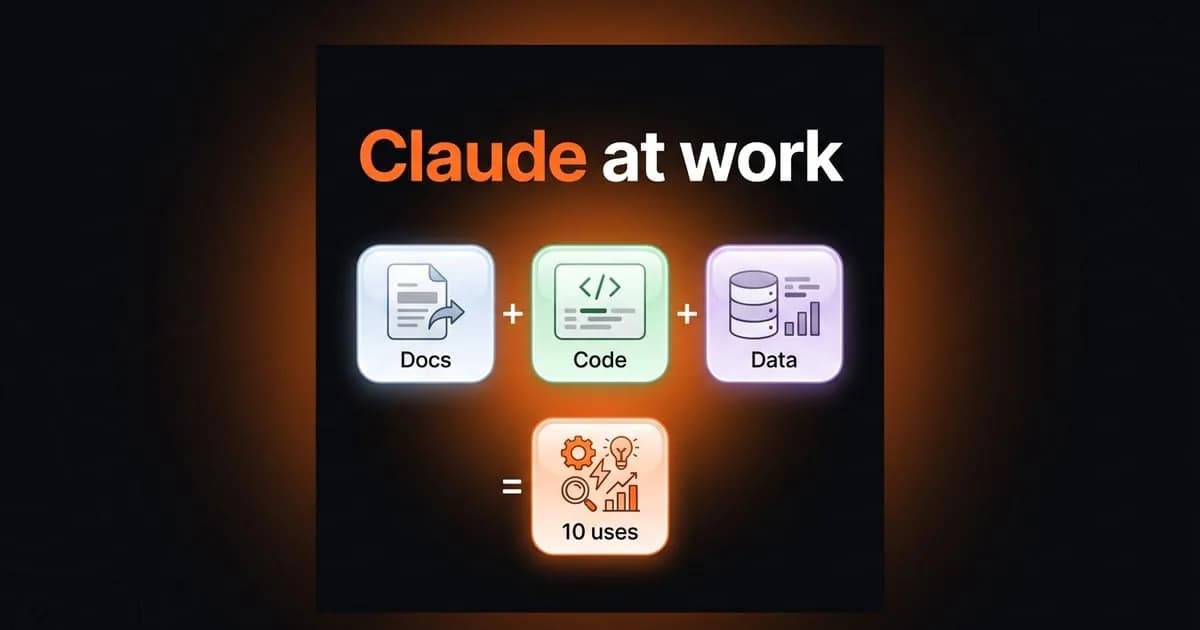
What can Claude do at work? Ten practical uses for documents, quotes, scope, decision logs, code review and data, with a ready-to-use prompt and the limits to keep.

Contents16
What can Claude do? The short answer is almost any job you can describe in words. The real question is where it saves you time, and where it should not make the decision for you.
I run an agency team and a product team. The jobs in this list come up every week on both sides. I have shared prompts for several of them in earlier articles. Building websites and apps is not on this list; that has its own article.
What is Claude, and what comes with each plan?
Claude is an AI assistant built by Anthropic. You use it by chatting in the browser, in the desktop app or on your phone. It works in many languages, so you can ask in your own.
Claude's official pricing page (October 13, 2026) lists what the free plan includes. That means web search, file creation, code execution, memory across conversations and connections to your apps. The Pro plan costs $20 a month and adds Projects, Research, Claude Code and Claude in Chrome. Billed annually, Pro is $17 a month, and the Max plan starts at $100 a month for heavier use.
Most of the jobs below work on the free plan. If you work with the same documents often, Projects helps. You upload the files and instructions once, and every new chat starts from the same context.
What can Claude do with documents, quotes and scope?
1. Ask questions about a long document
You may have a contract, a specification or a fifty-page report. Upload it to Claude and ask your questions. The most useful request is to quote the sentence in the document that supports each answer.
Ask for one more thing: a separate list of topics the document does not answer. That list is often the most valuable output, because it shows what to ask the other side.
2. Put quotes on the same scale
Quotes for software or services are written in different formats, and they are hard to compare. Give them to Claude and ask for one table: scope, timeline, payment plan, maintenance and who keeps the code.
The empty cells in that table are the questions to ask the vendor. Whichever quote you choose, it should state in writing who owns the code, the server and the domain.
3. Turn a loose idea into a scope document
Most software projects struggle because of scope, not because of code. Give Claude your idea, your meeting notes and your feature list, and ask for a short scope document.
A good scope document says three things: what is in, what is out and why. Ask Claude for the "what is out" section in particular. Tell it to test every feature with one question: can the user solve the core problem without it?
Team and decisions
4. Turn meeting notes into a decision log
If decisions are not written down, every new person reopens the same debate. You do not need long documents. A few lines per decision are enough: date, decision, reason, who decided and when to revisit.
Give Claude the raw meeting notes or a chat export and ask for a decision log in that format. Do not let Claude fill in a reason that is not in the notes; ask it to leave that cell empty. You can copy the prompt below and paste your notes at the end.
Below are the raw notes from a meeting.

Your task:
1. Put every decision made in the notes on its own row.
2. For each decision, fill in these columns: date, decision, reason, decided by, when to revisit.
3. Do not guess information that is not in the notes; write "not in notes" in that cell.
4. List the open topics that were discussed but not decided.
5. List the tasks assigned to someone, with the person and the due date.

Return the result as a table. Do not add commentary; use only the information in the notes.

Notes:
[paste here]5. Prepare a retrospective
In a weekly retrospective, the first half hour often goes into sorting notes. Give the team's notes to Claude before the meeting and ask it to group the problems that keep coming back.
Use the output as a starting point for the discussion, not as a decision. The team still decides which problem to solve first.
Code and data
6. Get a first read on code before release
The bottleneck I see most often in small teams is this: only one person can review code. When that person is away, the team waits. Claude does not replace that person, but it can do the first read before the review.
First, write a short checklist for code review. Include permission checks, user input, error cases and secret keys. Then have Claude read the change against that list. If you are a developer, Claude Code does the same job directly in the project folder.
The rule does not change: code does not ship unread. That is true whether a person wrote it or an AI did.
7. Analyze a spreadsheet
Claude can process the data in a file by running code. Upload a CSV or Excel file and ask for a summary, a grouping or a chart.
A concrete example is the Google Ads search terms report. At PNZ Medya, we manage clients' ad accounts, and finding wasted clicks is the first step. Give the report to Claude and ask it to list the searches that have nothing to do with the business.
Make the negative keyword decision yourself. A search that looks irrelevant does not always mean it brings no customers; the decision should follow the measurement.
8. Check a page's structured data
Structured data is an important signal that helps search engines and AI assistants describe your business correctly. Paste the JSON-LD block from the page source into Claude and ask about missing or incorrect fields.
Also ask it to compare the address, phone number and opening hours with what the site shows. Then confirm the result separately with Google's Rich Results Test.
Research and product decisions
9. Do sourced first-pass research
Claude can search the web. Research, on the Pro plan, turns one question into a longer report by looking at many sources. It is useful for a first draft on a market, a regulation or a technology.
The value of the report is in its sources. Open the source of every important claim yourself, especially numbers and dates. Treat a sentence without a source as a guess, not as information.
10. Work out whether a job suits AI
AI can be added to any product, but it should not be added everywhere. If you plan an AI feature, describe the use case to Claude and ask for a cost table. It should cover requests per day, text per request and which model.
At Entrobase, the product I founded, I deal with the balance between model choice, cost and quality every day. The most common mistake I see is not calculating usage costs up front. Take model prices from the provider's current pricing page, not from Claude's memory.
What not to hand over to Claude
Claude writes fast and fluently, and that fluency is the real risk. It can fill a gap with a sentence that sounds reasonable. So keep three things for yourself:
- Decisions: choosing a quote, a hire or a scope is your job. Claude only organizes the options.
- Facts: prices, addresses, dates and regulations. A person should check anything that goes live or into a contract.
- Personal data: before sharing customer or employee information, check your company's rules and Claude's privacy settings.
AI also guesses a workflow that nobody has described.
Building websites and apps is not on this list either. There are tools made for that job. The decisions on the app side are a separate topic: accounts, data and app store release. I wrote about them in another article.
frequently asked questions
Is Claude free?
Yes, there is a free plan. According to the official pricing page, it includes web search, file creation and code execution. Pro costs $20 a month, or $17 a month billed annually.
What are the most common Claude use cases at work?
Reading long documents, comparing quotes, writing scope documents, turning notes into decision logs, a first read on code and analyzing spreadsheets. In each case, a person still checks the result.
Can Claude write code?
Yes. You can ask it to write and review code in the chat. For developers, Claude Code is a separate tool that reads and edits code directly in the project folder. The code should still be read by a person before release.
Can Claude analyze Excel or CSV files?
Yes. When you upload a file, Claude processes the data by running code. You can ask for summaries, groupings and charts. Check the totals in the result yourself once.
Does Claude remember my documents across chats?
With Projects, you upload the documents and instructions once and open many chats in the same context. According to the official pricing page, Projects is part of the Pro plan.
What Claude can do depends on how clearly you can describe your work. It saves time on any job you can put in writing, whether that is a document, a scope or a decision. Where the work is not written down, it only guesses. If you want to plan where AI will actually help in your product, this is the work I do.