What is SaaS? The subscription software model from both sides
SaaS is software you use over the internet on a subscription. Examples, SaaS vs PaaS vs IaaS, what the model means for buyers and builders, and questions to ask before you sign up.

Contents9
SaaS means using software over the internet on a subscription instead of buying it. The definition is short, but the business model behind it is not. The company that builds the software does not finish at delivery; it starts again every month.
I run an agency that delivers projects to clients and a product that people pay for by subscription. So I look at the question of what SaaS is from two sides: the company that uses it and the company that builds it.
What is SaaS and what does it stand for?
SaaS stands for software as a service. You do not install the software on your computer. You open it in a browser or an app and use it.
The US National Institute of Standards and Technology (NIST) defined SaaS in its 2011 definition of cloud computing. In that definition, SaaS means using the provider's applications running on its cloud infrastructure. The user does not manage the servers, the operating system or the storage, and at most changes their own account settings.
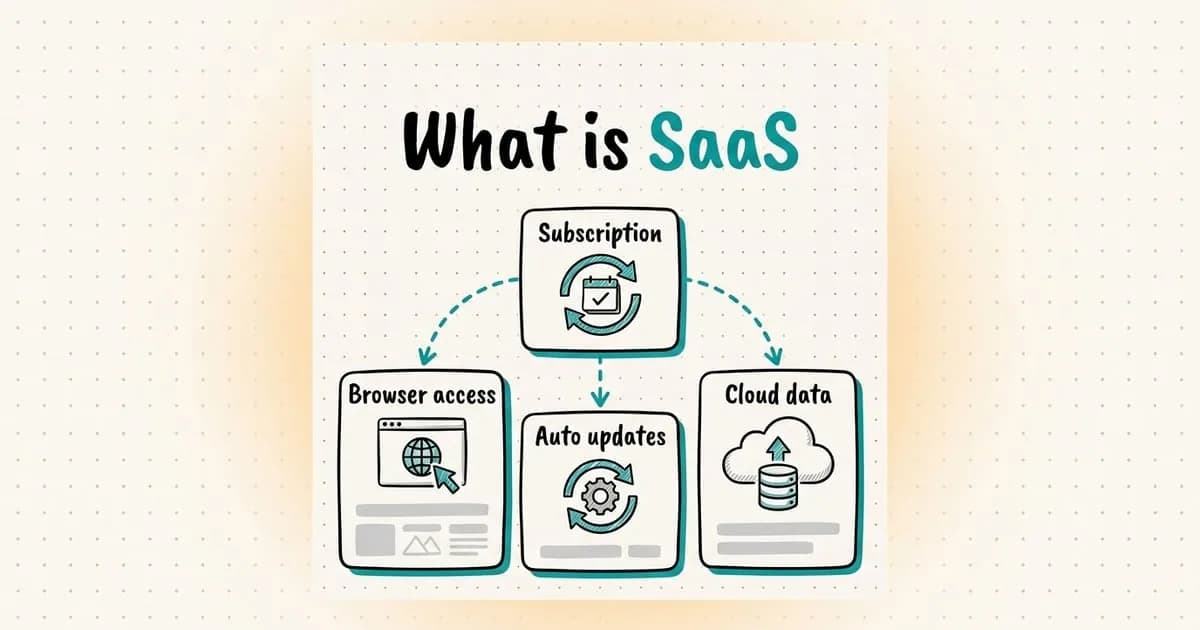
In practice, that means three things. There is no installation, the provider handles updates, and payment is usually a monthly or yearly subscription. Instead of buying a license once and using the same version for years, you pay for as long as you use it.
SaaS examples you already use
The best explanation of SaaS is probably the set of apps you opened today. Most companies run a large part of their work on this model without thinking about it.
- Email and office: Google Workspace, Microsoft 365. Your documents live on the provider's servers and open on any device.
- Customer relationship management (CRM): tools like Salesforce. The sales team keeps customer records and quotes in one place.
- Team chat and video calls: Slack, Zoom. Pricing is usually based on the number of users.
- Accounting and invoicing: cloud accounting tools work the same way, on a monthly or yearly subscription.
Entrobase, the product I founded, is also a SaaS product. It has a free plan and a monthly or yearly subscription. What I say in this article about the builder's side comes from there.
SaaS vs PaaS vs IaaS
The same NIST definition splits the cloud into three service models. The easiest way to tell them apart is to ask who manages which layer.
- Model
- IaaS (infrastructure)
- What you get
- Virtual servers, storage and networking
- What you manage
- Operating system, application and data
- Example
- Virtual servers from cloud providers
- Model
- PaaS (platform)
- What you get
- A ready environment to run your application
- What you manage
- Your code and your data
- Example
- Google App Engine, Azure App Service
- Model
- SaaS (software)
- What you get
- A ready-to-use application
- What you manage
- Your account settings and your data
- Example
- Email, CRM, office suites
A software company usually uses all three. It builds its own SaaS product on top of IaaS or PaaS, and it runs its team with other SaaS tools.
The SaaS business model: the builder's side
For the buyer, the benefits are clear. The upfront cost is low, and there are no servers or updates to worry about. For the builder, the picture is different, and this is the part people miss most often.
In an agency, the work ends when you deliver the project. If the client is happy, new work follows. A subscription has no moment of delivery. Every month, the customer decides again whether to stay.
An agency delivers to its clients every month, while a product can grow for months without delivering anything to anyone.
That is why retention matters as much as sales in SaaS. The share of customers who cancel is called churn. If new customers do not make up for the ones who leave, the product does not grow. It stands still.
Why AI-powered SaaS has different costs
In a classic SaaS product, adding one more user usually costs little. In an AI product, that changes. Every request goes to a model, and every call has a price.
At Entrobase, I deal with the balance between model choice, cost and quality every day inside the product. The most common mistake I see is not calculating usage costs up front. When usage grows, the bill becomes a surprise.
This is why AI products often combine a subscription with usage credits. At Entrobase, the stronger models also draw from credits on top of the subscription. If you are building your own product, set your price by looking at the cost of your heaviest users.
Questions to ask before choosing a SaaS tool
Choosing a SaaS tool means renting software. The code of rented software is not yours, and you can accept that. Owning your data, however, should not be up for negotiation.
- Can you export your data at any time, in a format another tool can use?
- When you cancel, how long is your data kept, and how is it deleted?
- How much notice do you get before a price change, and is the price fixed on a yearly plan?
- Whose name are the domain, email addresses and admin accounts registered under?
- Do you manage users and permissions yourself, or do you wait for support for every change?
In our own product, we answered the first question from the start. In Entrobase, you can download your project's code as a ZIP file whenever you want. At the agency, we register the domain in the client's name and hand over the source code.
A prompt for reviewing SaaS terms
Reading a tool's terms of service and pricing page takes time. You can paste them into an AI assistant with the prompt below. Use the output as a list of questions for the provider, not as a decision.
Below I am pasting the terms of service, privacy policy and pricing page of a SaaS tool.

Your task:
1. Tell me whether I can export my data and in which formats.
2. Tell me how long my data is kept after I cancel and how it is deleted.
3. Tell me how much notice is given before a price change and who can change the terms on their own.
4. Tell me which country my data is stored in and whether it is shared with third parties.
5. List separately the topics the text does not answer.

For each point, quote the relevant sentence from the text. Do not add anything that is not in the text.

Texts:
[paste the texts here]Off-the-shelf SaaS or custom software?
The distinction I use is simple: is the software your product, or a tool that runs your business? If it is a tool and your process matches everyone else's in your industry, off-the-shelf SaaS is usually the right choice.
There is no point in writing your own email, accounting or team chat software. But if what sets your business apart is the software itself, tying it to a rented tool ties you to that tool's limits.
There is also a middle path. Use off-the-shelf SaaS tools, and build only the part that makes your business different. In small companies, I often see this mix give the healthiest result.
Before you build your own SaaS product
The most common mistake among people who want to build SaaS is designing the product with every feature from day one. At that point, you still do not know whether people will pay for it every month.
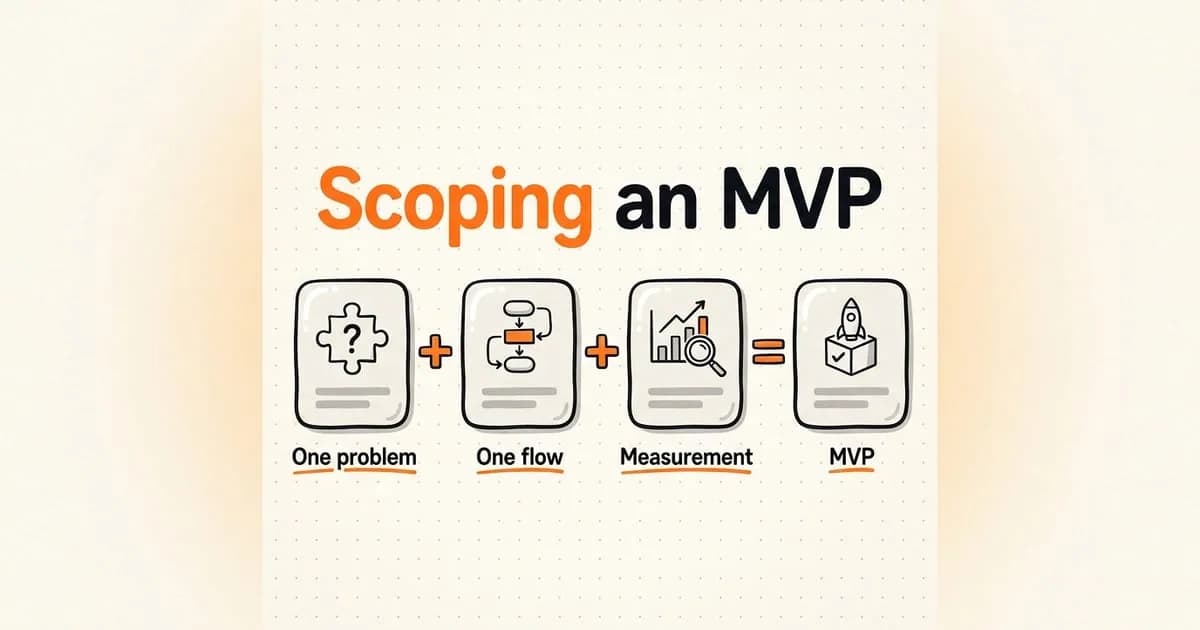
Ship the smallest version that solves the core problem and lets you measure use. Then look at three things. Do users complete the main flow, do people who try it once come back, and do paying users stay into the second month.
People want to see something that works before they decide. In SaaS, a free plan or a trial is the name of that working thing.
frequently asked questions
What does SaaS stand for?
SaaS stands for software as a service. The software is not installed on your computer; you use it over the internet, usually on a subscription.
What are some SaaS examples?
The best known examples are Google Workspace and Microsoft 365 for email and office work, Salesforce for CRM, and Slack and Zoom for communication. Cloud accounting tools work the same way.
Is SaaS the same as cloud computing?
No. Cloud computing is the broad umbrella, and SaaS is one of its service models. The other two are IaaS, which provides infrastructure, and PaaS, which provides an environment to run applications.
What is B2B SaaS?
B2B SaaS is software sold to businesses, such as CRM, accounting or project management tools. Subscriptions sold to individuals are called B2C; music and video streaming are common examples.
Can SaaS be free?
Many SaaS products start with a limited free plan and move heavier users to a paid subscription. This is called freemium. Read the limits of the free plan, and how your data is kept on it, before you start.
SaaS removes installation for the buyer and the one-time sale for the builder. In return, it puts a responsibility on both sides. The buyer has to protect their data, and the builder has to prove its value every month. If you are planning the scope and first version of your own product, we can work on it together.