What is n8n? A practical guide before your first workflow
What is n8n and what is it used for? How triggers, nodes and executions work, cloud versus self-hosted, what the fair-code license allows, and what to write down before your first workflow.

Contents9
n8n is a workflow automation tool that connects your apps and runs repetitive work on its own. Setting it up is the easy part. The hard part is knowing which work is actually ready to be automated.
At PNZ Medya we build e-commerce sites and their integrations, and I am building Entrobase, an AI product, from scratch. I see the same thing on both sides: automation speeds up a process that has been described, and breaks one that hasn't. This guide covers what n8n is, what it is used for, and what to settle before you build your first workflow.
What is n8n, and where does the name come from?
n8n is an automation platform founded by Jan Oberhauser in Berlin in 2019. It is pronounced 'n-eight-n'. The name is short for 'nodemation', a blend of node and automation.
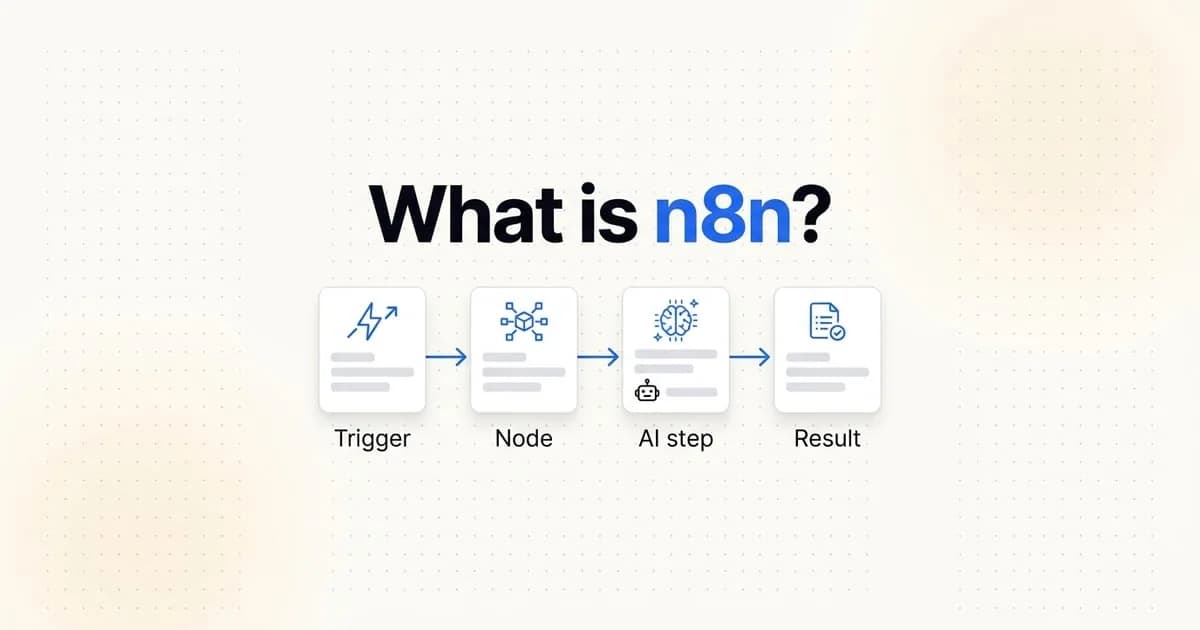
The idea is simple. You see boxes on a canvas, and each box does one job. It reads a form, adds a row to a sheet or sends an email. These boxes are called nodes. Connect the nodes and you have a workflow.
Built-in nodes cover hundreds of services, from Google Sheets, Slack and Telegram to CRMs and databases. When they are not enough, you can write a code node in JavaScript or Python. You can also call any service directly through its API. That flexibility is why developers like it too.
What is n8n used for? Example workflows
n8n is good at moving information between systems that someone would otherwise copy by hand. Any place where a person takes the same data from one screen and types it into another is a candidate.
- When someone fills in the contact form on your site, add them to your customer list and notify the sales team.
- Send each new e-commerce order to the stock sheet and the accounting software. When stock, shipping and accounting are tracked by hand, errors grow with every order.
- Every Monday, collect sales and ad data and email it as a single report.
- Sort incoming support emails by topic with an AI model and route each one to the right person.
What these examples share is a rule that is clear from the start. When the rule is clear, automation runs reliably. When every case depends on someone's judgement, that judgement has to be written down first.
How n8n works: triggers, nodes and executions
You can read any n8n workflow with four ideas. Knowing them makes it easier to build workflows and to estimate what they will cost.
- Concept
- Trigger
- What it means
- The event that starts the workflow
- Example
- A form is submitted, it is 9 a.m., a new order arrives
- Concept
- Node
- What it means
- A single step in the workflow
- Example
- Add a row, send an email, filter the data
- Concept
- Credential
- What it means
- A saved account or key used to access a service
- Example
- A Google account, your CRM's API key
- Concept
- Execution
- What it means
- One full run of the workflow
- Example
- The workflow finishing for a single order
Executions matter for your bill. According to n8n's pricing page, cloud plans charge by the number of executions, not the number of steps. A twenty-step workflow that runs once counts as one execution. Zapier, by contrast, counts every action step as a separate task.
Credentials need care as well. Your workflow logs into your customer list, your inbox or your accounting software with them. Write down which account is connected and with what permissions.
Is n8n free? Cloud versus self-hosted
There are two ways to use n8n. The first is n8n Cloud: you sign up and never deal with servers or updates. The pricing page currently lists Starter, Pro, Business and Enterprise plans, and you can try the cloud plans before paying.
The second is the Community Edition: you install n8n on your own server for free. With Docker, setup takes a few commands. The price is that the server, backups, security updates and maintenance are all yours.
Some team features are missing from the Community Edition. According to n8n's documentation, single sign-on (SSO), Git version control, environments, projects and workflow sharing are on paid plans.
The test I use is ownership and responsibility. On your own server the data stays with you, but so does the maintenance. On the cloud the provider maintains it, but your workflows and data live on their infrastructure. Whichever you pick, be clear from day one whose name the server and accounts are registered in.
Is n8n open source? Reading the license correctly
n8n's source code is public on GitHub, but its license is not a classic open source license. The company calls it 'fair-code' and uses its own Sustainable Use License.
The key sentence is this: you may use or modify it only for your own internal business purposes, or for non-commercial or personal use. According to the license FAQ, an agency can build workflows for a client and charge for setup and maintenance. Running n8n workflows behind your own product is also allowed.
The line is here. Hosting n8n so your customers can build their own workflows is not covered, and neither is selling it under your own brand. If your paid service gets its value mainly from n8n itself, you need a separate license.
Before your first automation, write the process down
The most common mistake with a first workflow is starting from the tool. The editor gets opened and nodes get added. Only then does anyone discuss how the process really works.
I once wrote this about AI tools: if you have accounting software or a custom quote flow, someone has to describe that flow first. The same holds for automation. This order works:
- Write the process as it is done today: who takes which data from which screen, and where they enter it.
- Pick one workflow. The task that repeats most often and has the clearest rule goes first.
- Define failure: if the workflow stops, who gets told, and through which channel.
- Set up measurement from the start: how often the workflow runs, how often it fails, how much manual work it removes.
- Name an owner. A workflow nobody is responsible for breaks at the first change.
A prompt to turn a manual task into an automation brief
Writing the process down takes time. Use the prompt below in an AI assistant and describe the task you do by hand today. The output is not an n8n workflow. It is the list of steps and open questions to settle before you build one.
Below I describe a task our team does by hand today. Before building it in an automation tool like n8n, I want a clear description of it.

Your job:
1. Describe the event that starts the task (the trigger) in one sentence.
2. List the steps in order: for each step, which system the data comes from and where it is written.
3. Mark separately the steps where a person makes a judgement or a decision.
4. For each step, describe the failure case: what should happen if data is missing or a system does not respond.
5. List the accounts the workflow needs and the lowest permission that would be enough for each.
6. Collect the questions my description does not answer in a separate list.

Do not add steps that are not in my description. Mark clearly where you are guessing.

The task:
[describe it here]AI workflows in n8n: don't put a model in every step
n8n has nodes that connect to AI models and an AI agent node. They are useful for classifying an email, summarising a text or turning free-form answers in a form into structured fields.
AI can be added to any product, but it should not be added everywhere.
If a step follows a clear rule, putting a model there adds cost and a new way to fail. You don't need AI to write an order into a sheet. You might need it to tell whether a customer message is a complaint or a question.
For every step with a model, work out three things up front. What does each execution cost? Who is affected by a wrong answer? Which data goes to the model? If customer data goes to a model, where it is processed should be the first item in the plan.
When is n8n not enough?
n8n is a good tool for connecting systems. But when the work itself does not fit inside a workflow, you reach its limits.
- You need a screen your customers use directly. n8n is not an interface; it is a worker in the background.
- The workflow is becoming the core logic of your product. That logic belongs in code that is tested, versioned and reviewed by the team.
- You have piled up workflows with hundreds of nodes that nobody fully understands. That carries the same risk as undocumented software.
The question I use for this decision: is the software your product, or a tool that runs your business? If it is a tool, ready-made services and n8n are usually the right choice. If it is your product, tying it to an automation tool ties you to that tool's limits.
frequently asked questions
Is n8n free?
The self-hosted Community Edition is free; the server and maintenance costs are yours. n8n Cloud plans are paid, and pricing is based on the number of workflow executions.
Is n8n open source?
The source code is public, but the license is not classic open source. n8n is distributed under what it calls a fair-code license, the Sustainable Use License: internal business and personal use are allowed, while hosting n8n and selling access to others is restricted.
Can you use n8n without coding?
Simple workflows can be built in the visual editor without code. Some JavaScript and API knowledge helps when you need to transform data, handle errors or connect a service that has no built-in node.
What is the difference between n8n and Zapier?
Both connect apps. n8n can be self-hosted, is more flexible thanks to code nodes, and its cloud plans charge per execution. Zapier runs only in the cloud and counts every action step as a task.
How do you install n8n?
The quickest route is an n8n Cloud account. To run it on your own server, follow the Docker setup in the official docs. On a computer with Node.js installed, you can also try it locally with the command 'npx n8n'.
n8n is an affordable way to move information that people currently copy between systems by hand. But what it speeds up is the process, and if the process is not written down, it speeds up the confusion too. I can help you sort out which work suits automation, which suits AI and which needs custom software.